

Live VMware Backup Done Exactly the Way You Want
Backup VMware Using Open File Standard Formats
BackupChain contains a powerful VMware backup solution that has been optimized to back up large files, such as VMDK virtual machines running on VMware Workstation or VMware Server, on top of Windows or Windows Server platforms.
The following VMware virtualization platforms can be backed up using BackupChain Backup Software:
- Live backup for the new VMware Workstation 26H1 (and all older versions) and VMware Player
- Backup virtual servers from the host, including access to the VM’s file system
- File-level restore (Granular Restore) as well as Granular Backup possible
- Consistent & reliable live backup while virtual machines are running, without interruptions
- Live replication of virtual machines to other PCs / servers on the network, or local drives, or FTP sites. No interruptions or snapshots necessary.
- VMware Cloud Backup: Backup VMware virtual machines to the cloud and remote servers on the internet. You can also host your own secure cloud server online with BackupChain.
- Support for latest Windows versions Windows 11 and Windows Server 2025
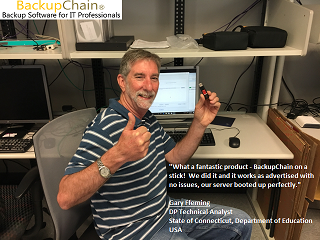
“What a fantastic product – BackupChain on a stick! We did it and it works as advertised with no issues, our server booted up perfectly!”Gary Fleming, DP Technical Analyst, State of CT, Department of Education, 85+ Enterprise Servers with BackupChain installed
BackupChain offers several key features to enable data centers as well as small businesses to protect their virtual machines efficiently:
Granular Restore: Restore Files Stored Inside VMware Virtual Machine Backups
Using BackupChain Server Enterprise Edition you can restore individual files and folders from your storage folder without the need to restore the entire virtual machine. This feature is a valuable time saver and works for deduplicated backups, too, such as incremental and differential VMDK backups.
See What is Granular Restore?
Granular Backup: Back Up Individual Files Inside the VM Without an Agent
This innovative backup feature is only available in BackupChain: Often you want a full virtual disk backup nightly but you would like to back up specific files inside the VM more often.
For example, say you have a Windows VM running SQL Server. You want to back up the virtual machine every night but you would really want backups of SQL every hour. Rather than backing up the entire VM every hour you could create two separate tasks: one to run at night backing up the full VM using incremental deduplication, and one task running hourly backing up just the SQL data folders residing inside the VM. Using BackupChain Server Enterprise Edition you don’t need to install anything inside the VM, it is all handled on the host.
See Granular Backup in Action
Restore Old Virtual Machine Versions in One Step
Backing up and restoring VMware is a simple process. To set up your backup, you simply select the folder containing the VMX and VMDK files. To restore, you can access your backed up files via Windows Explorer or use BackupChain’s Restore Screen. The Restore Screen is a convenient way to restore older file versions.
Consistent Live Backups – No Interruptions, No Interference
Live backups are taken of any VM operating system. There will be no interruptions and no interference with the VMs and the services they run.
Local and Online Target Folders
Since virtual machine files (VMDK file format) tend to be many GB large, they need to be processed more efficiently than regular files, which are considerably smaller. For best performance, the backup target should be another RAID or SCSI drive, an eSATA external drive, an USB drive, or another server on a Gigabit network.
BackupChain supports all these constellations and in addition, BackupChain permits FTP and FTPS targets to enable data centers to back up their virtual machines to other geographic locations.
Differential and Incremental Deduplication with Smart Delta Compression
It commonly leads to misunderstandings when the term “incremental backups” is used to describe simple file change updates. In the case of VMware virtual machine backups, the
VMDK files are so large that it is not feasible to retain a full copy of each VM at each backup cycle. BackupChain provides a solution to this problem using its proprietary in-file delta
compression technology, which ensures that backups use only minimal amounts of storage space. This compression type reduces the load on the host server but it also reduces bandwidth because only the actual byte-level changes within the virtual machine are stored.
This is why BackupChain is perfectly suited for cloud and remote virtual machine backups, even via FTP. BackupChain’s backup technology does not require a locally stored history of VMs from previous backup cycles, so your VMware servers can run on minimal hardware. And since most VMs change only minimally each day, you can easily move incremental and differential backups over the Internet straight from your VMware host.
Superior Compression Rates
Data compression is standard feature in most backup solutions; however, when it comes to VMware VM backups, it is necessary to achieve the best compression rate
within reasonable use of CPU resources. In order to keep the processing time to a minimum, optimal resource usage is necessary.
BackupChain offers full CPU utilization as a standard feature in the Server Enterprise Edition. BackupChain compresses and optionally encrypts backups with AES-256 (HIPAA
compliant) and utilizes all CPUs and CPU cores simultaneously. This technology also ensures the highest possible data rate is drawn from RAID controllers and other high-speed drives.
Flexible Multithreaded Scheduling
BackupChain for VMware was implemented with a flexible scheduler that permits complex schedule settings and concurrent execution. This feature allows administrators to utilize their resources to fullest extent possible and schedule tasks at complex intervals as needed.
Remote Backup and Restore Feature
BackupChain is the only all-in-one backup solution on the market with a built-in FTPS server and client, which are the building blocks needed to quickly set up a private remote backup system. VMware VMs can hence easily be backed up and restored off-site over the Internet to a remote location without the need for additional software. Administrators concerned about security can switch on the military-strength encryption feature and transmit over FTPS as an option.
Compatibility with Windows Server 2025 & Hyper-V Server 2019
Are you running both VMware Server and Hyper-V Server in one organization? BackupChain is fully compatible with both; hence, you can save money by purchasing only one license to cover your VMware as well as Hyper-V backup needs in your organization.
Download a full function 20 day trial of BackupChain from our download page
and see how BackupChain meets all your server backup needs.